Stop scrolling away from the good part.

Comment threads for ChatGPT, Claude & Gemini — like Google Docs, but for AI answers. Highlight it, ask about it, right there in the margin.

Add to Chrome — free
Free forever
Open source 🔓
ChatGPT Claude Gemini

Install in ten seconds ⚡

1
Open the Web Store
Go to Marginalia's listing — free, no account needed.
2
Click "Add to Chrome"
Confirm with "Add extension". That's the whole setup.
3
Open a chat
Visit chatgpt.com, claude.ai or gemini.google.com and highlight any text in an answer.

How to use it

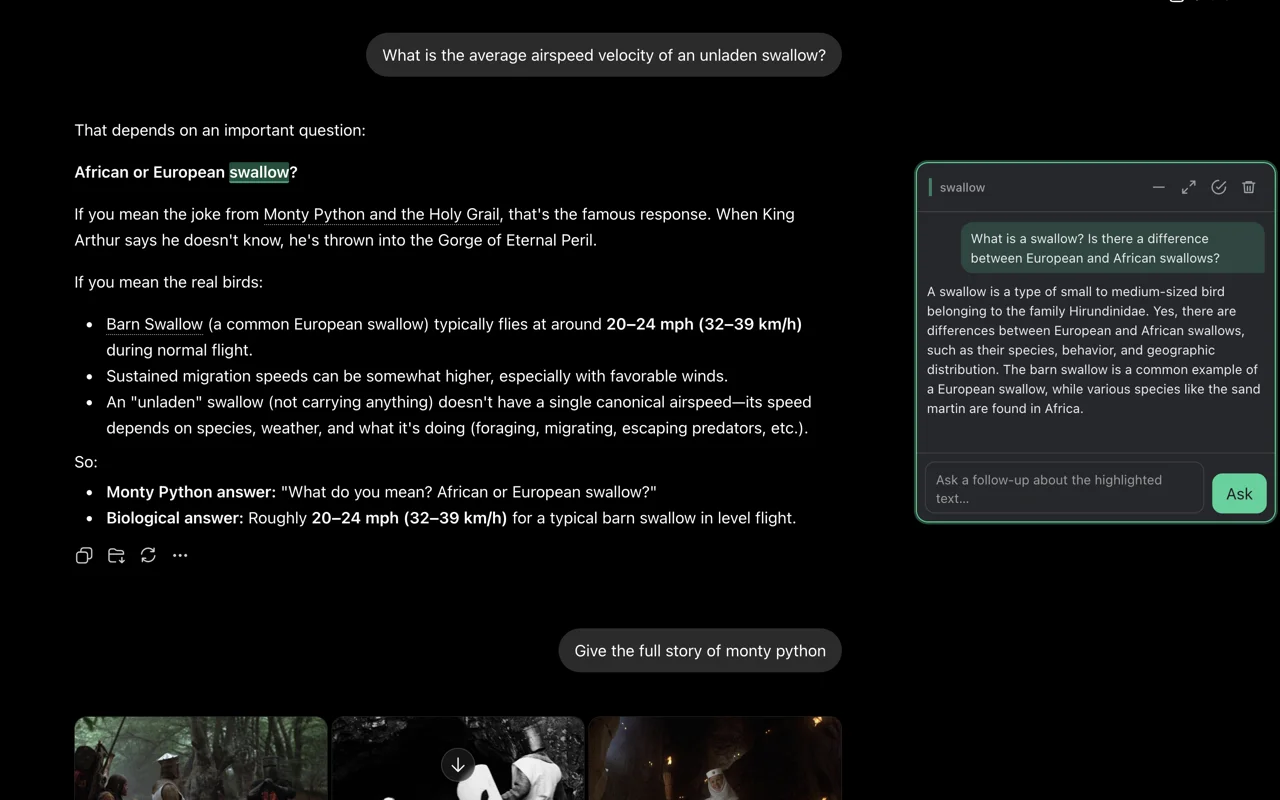
Highlight any phrase in an AI answer and a comment box opens beside it. That's it.
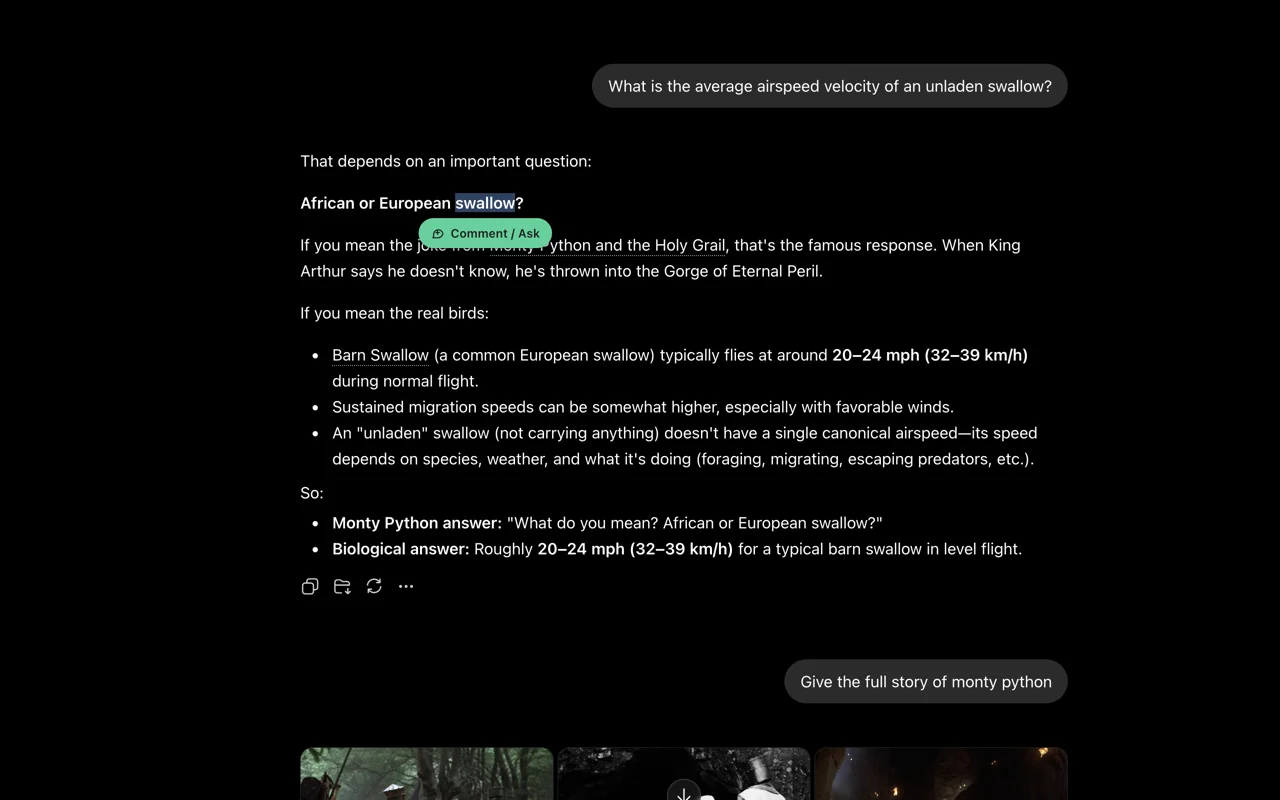
Highlighting text opens a comment box
Ask about a selection. Highlight the phrase you're unsure about and type your question in the margin.
The reply streams into the margin thread
Read the reply in place. The answer streams into the thread — the text you were reading never scrolls away.
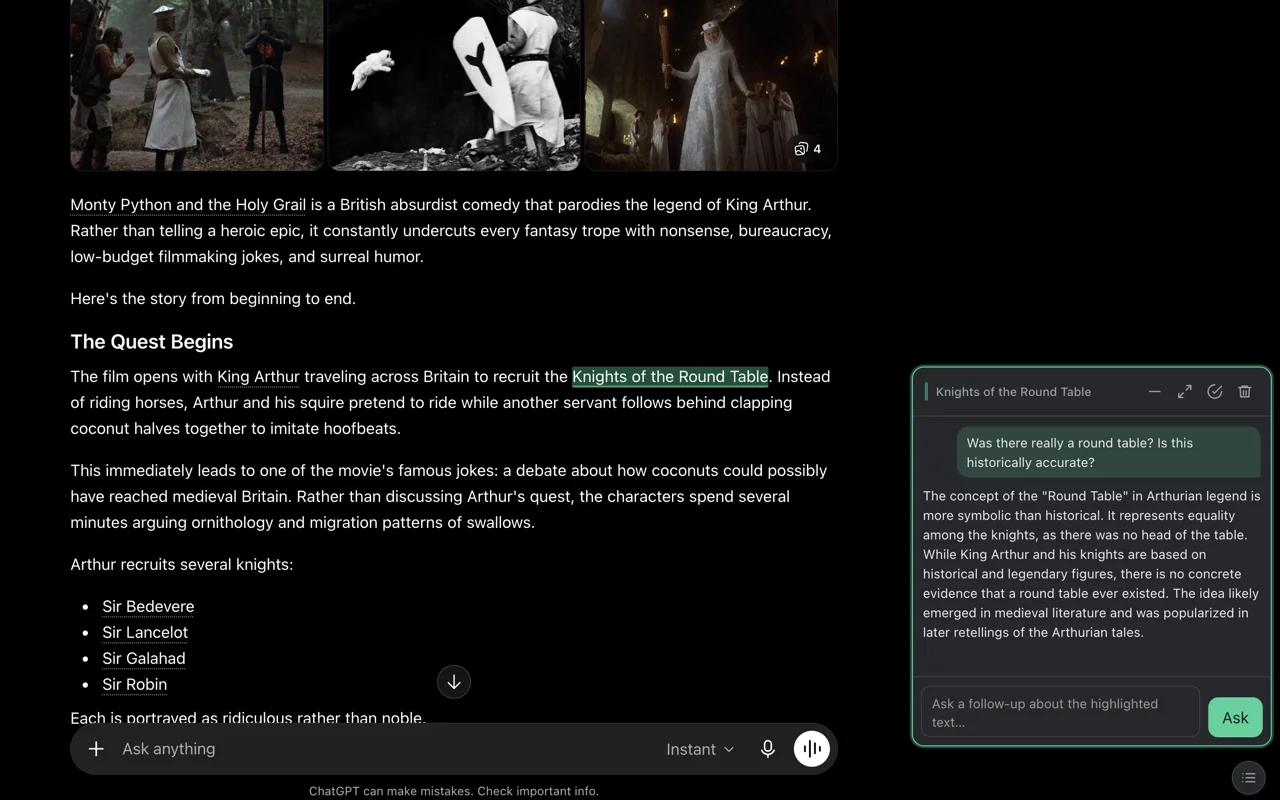
A second question minimizes other threads
Ask as many as you like. Starting another question on the same chat minimizes the other threads and focuses the new selection.

Configure 🔧

Logged into Claude or Gemini? It just works — zero setup. Prefer API keys? Add them on the settings page.
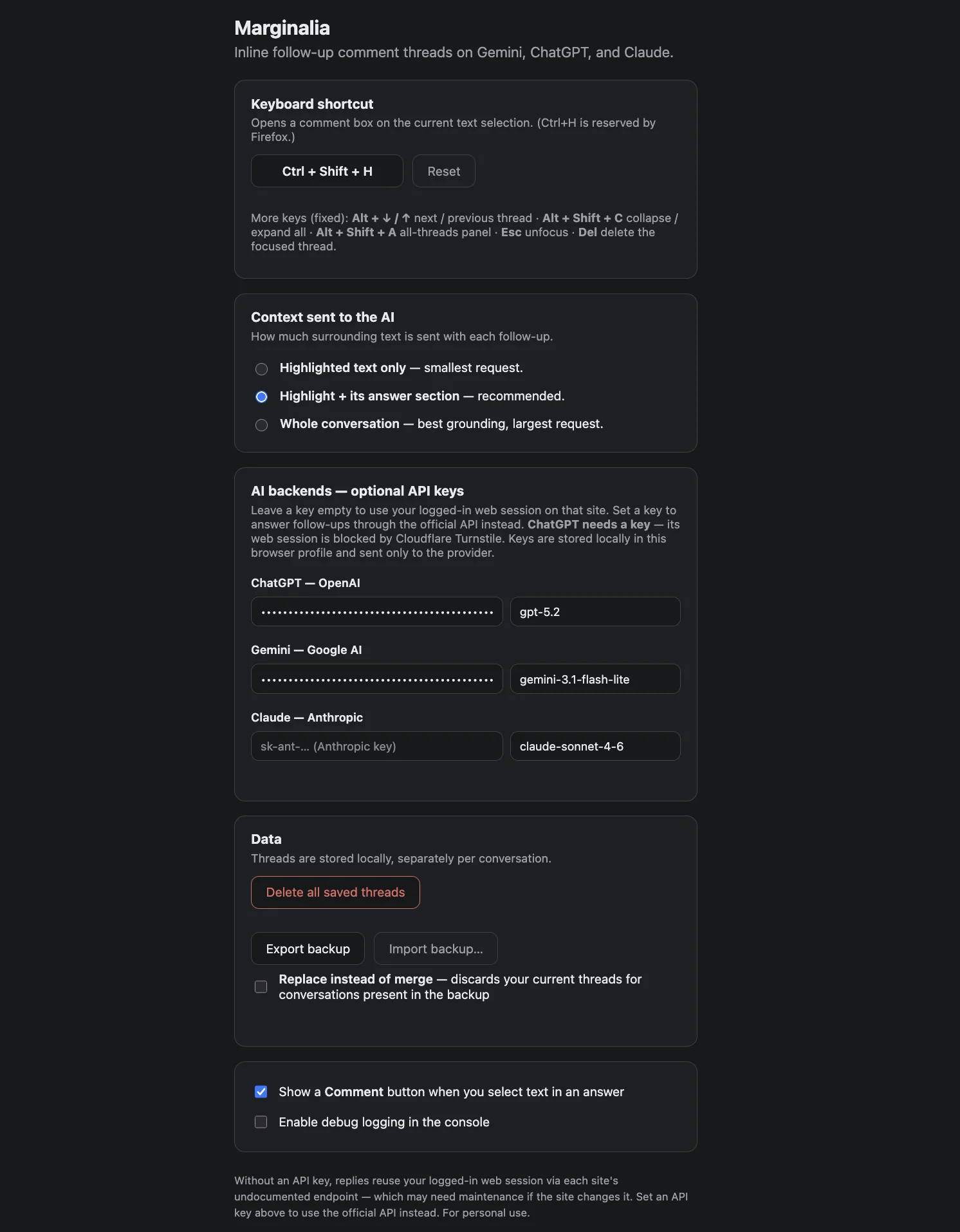
Marginalia settings page
The settings page is where you set up API keys. Without keys, it uses the chat app you're already signed into (Claude and Gemini).
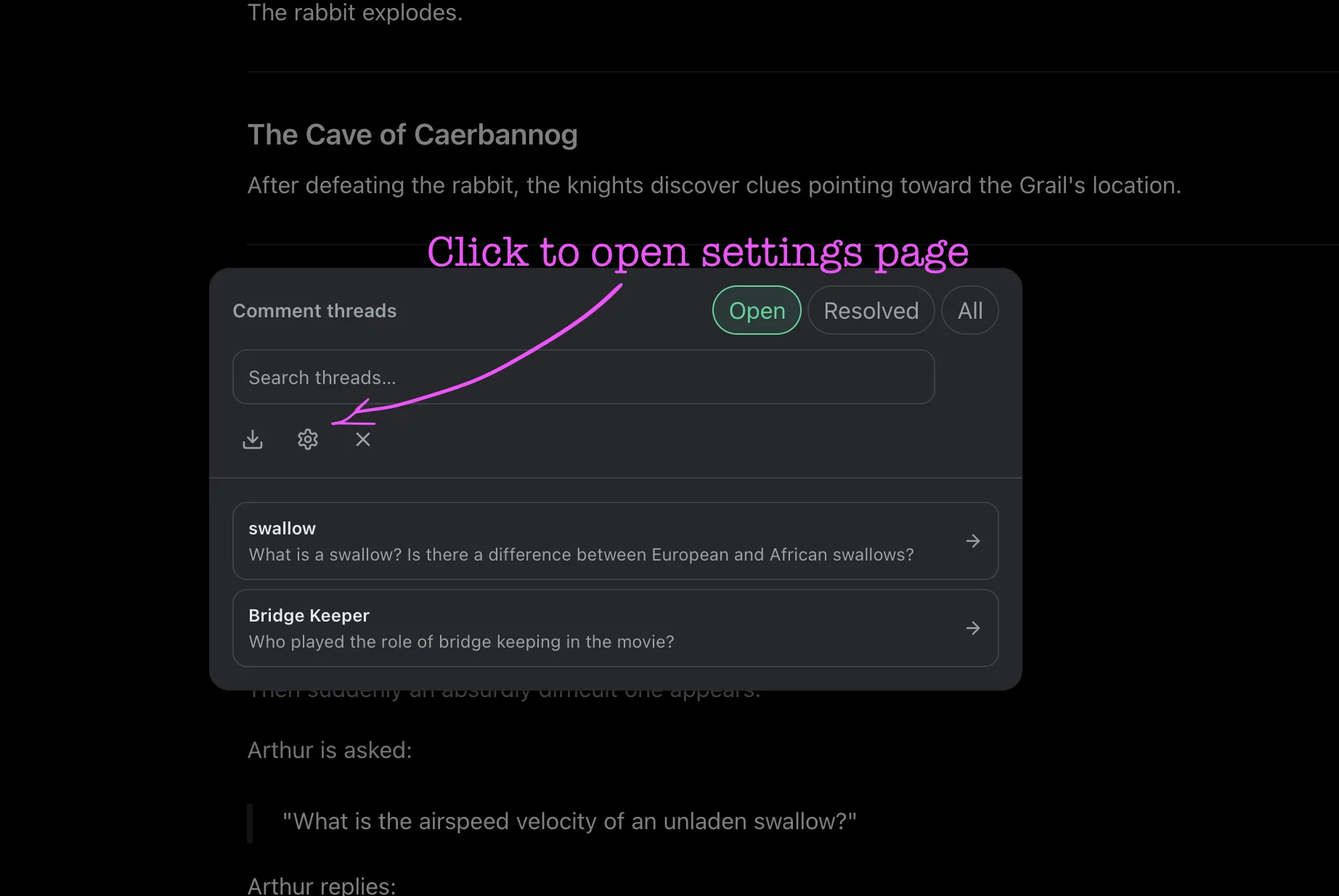
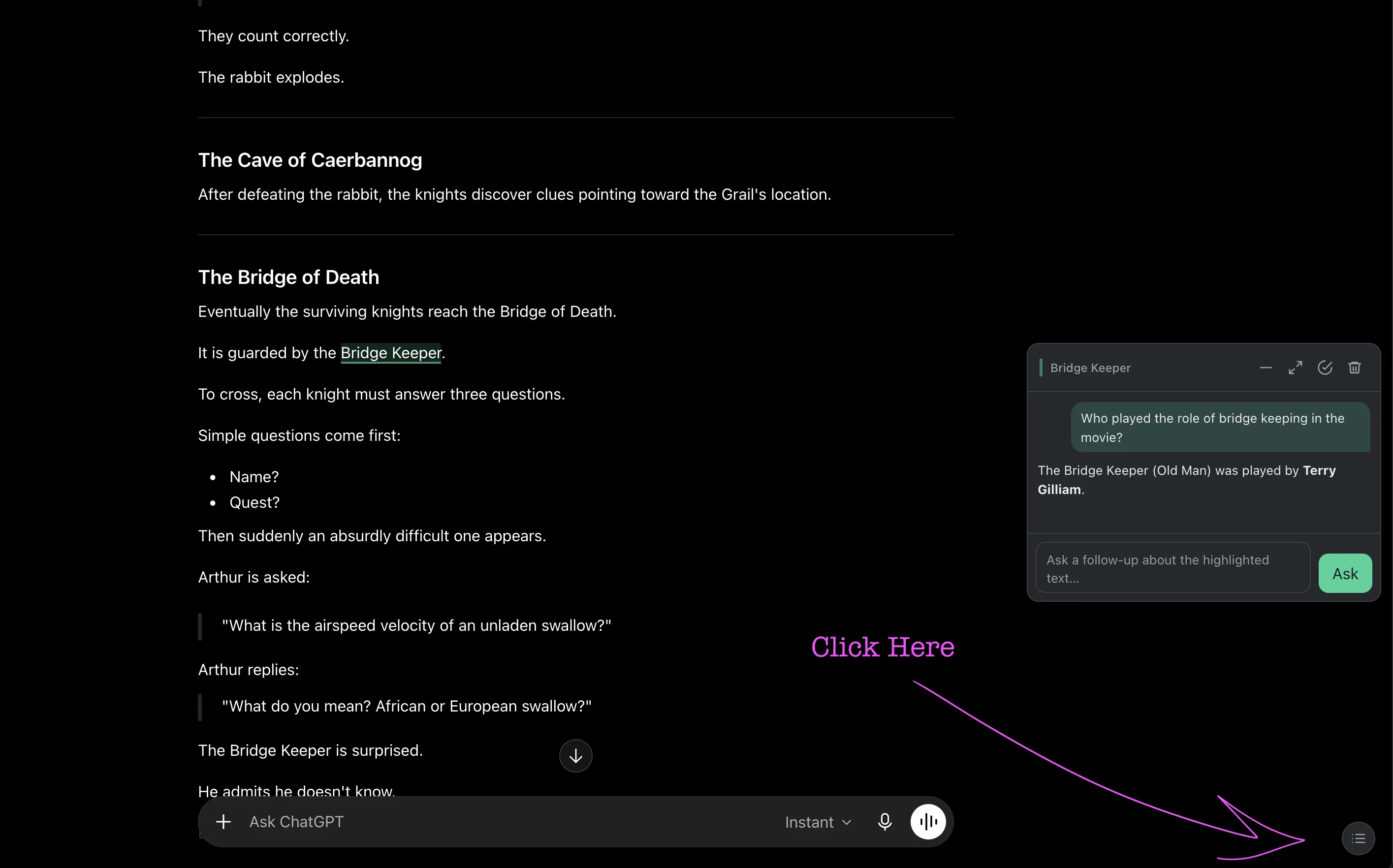
Manage Conversation menu in the corner
Find the menu. Every conversation has a "Manage Conversation" menu in the bottom-right corner.
Opening settings from the menu
Open Settings from there to manage keys and preferences.